See the app
This is what your staff will use
Real screens from the app, with example customers.
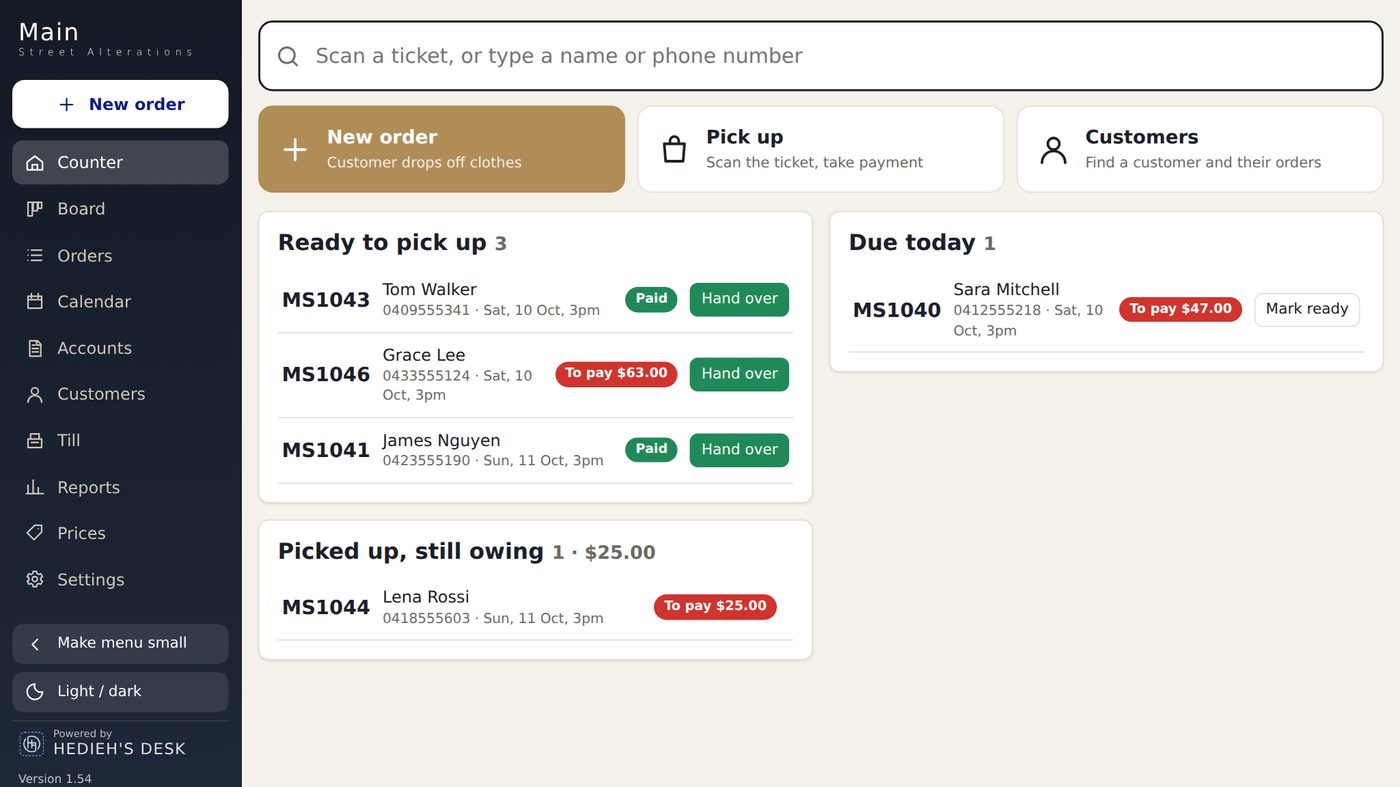
Take the order, print the ticket and tags, text the customer when it's ready, and close the till. All in one simple program.
What it handles
Every kind of job your counter takes in, each with its own price list and colour.
Hems, take in, let out, sleeves, zips and repairs, with your own prices for every job.
Suits, dresses, coats and doonas. One tag per piece, so nothing gets mixed up.
Press-only jobs with their own prices, printed on the same ticket.
Names, logos and patches with a simple embroidery form.
See the app
Real screens from the app, with example customers.
How it works
The same steps your staff already do, with less writing and nothing lost.
Pick the garment and the job from your price list. Returning customers are found by phone number.
Choose what prints: customer copy, shop copy, tags. One tap each.
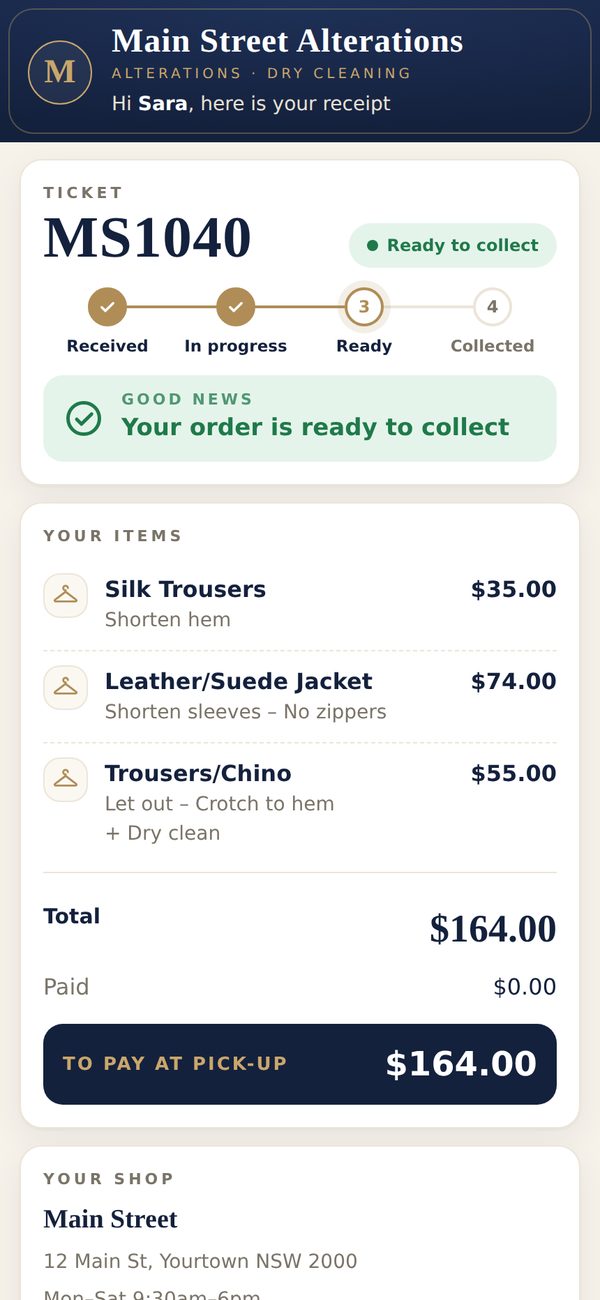
One button sends "Your order is ready" with a link to their receipt.
Cash, card or part payment. The ticket is marked collected.
Count the drawer. The day's report is emailed to the owner.
Text messages
Texts go from your own business number. Each one can include a link to the customer's receipt, so they see what is ready and what is left to pay.
Hi Sara, we have your order MS1040. It will be ready Thu 3pm. Your receipt: link
Hi Sara, your order MS1040 is ready to collect. See you soon!
Hi Sara, a reminder that order MS1040 is waiting for you at Main Street.
Hi Sara, there is $42.00 left to pay on order MS1040.
Thanks for coming in, Sara! Could you leave us a Google review? link
Write anything: closed for the public holiday, running late, a question about the fitting.
Order text packs from us at any time. After every text the app shows how many you have left, and warns you when it gets low.
See who sent what, to whom and when, for each shop.
For the owner
Open the app on your phone, anywhere, and sign in as the owner. You see the money taken today by card and cash, orders taken, money owing and texts sent, for one shop or all of them.
Features
No add-ons and no extra modules. Every shop gets all of it.
Garments and jobs with your prices, in sections for alterations, dry cleaning, press only and embroidery.
Customer copy, shop copy and one tag per piece. Works with Epson receipt printers and Epson or Bixolon tag printers.
Each shop has its own tickets, till and hours. The owner sees all shops together or one at a time.
Each person signs in with a PIN. Roles decide what they can open. Clock in and out with timesheets.
Count the drawer at the end of the day. The report is emailed to the owner with a PDF.
Deleting an order needs a reason. The owner can see and bring back every deleted order.
Your data is kept online and backed up every night. You can download it to Excel any time.
Monthly invoices for business customers, with your ABN and bank details.
Price
Every plan: 7 days free, no setup fee, no lock-in. Prices are per shop, per month, including GST.
Bought separately in packs, only when you need them.
Start with one and add the other later. The new section turns on straight away.
We bring in your price list and customers for you.
Questions
Yes. Every new shop gets 7 days free with all features. We set it up with you, and you only pay if you keep it.
Most staff take orders on their first day. The New order screen follows the counter: customer, garments, jobs, ready date, print.
Yes. Dry cleaning has its own section in the price list, with suits and two or three piece sets that print one tag per piece.
Yes. Open the app in your phone's browser and sign in as the owner. You see takings, orders and texts for every shop.
A Windows computer with internet. A receipt printer and a tag printer if you print tickets. We tell you which ones work before you buy.
Yes. We bring in your price list and customers from a spreadsheet or an export from your old system.
You do. You can download everything to Excel at any time from Settings.
Free for 7 days
Leave your details and we call you to set up your shop. The free week starts on the day your shop is ready.